

2-Day Hands-On Program · Remote or On-site
How to Build Reliable AI Agents


OVERVIEW
From impressive demos to agents you can ship and maintain
AI agents are easy to demo, but hard to make reliable in production. This two-day program uses the Vercel AI SDK as the backbone: Day 1 is fundamentals — generation and streaming, structured outputs, tool calling, and safe agent-shaped loops with real error handling. Day 2 goes deeper with MCP, memory and workflow patterns, middleware, then a guided build to deploy a real agentic feature (for example on Next.js), plus testing and telemetry so your team can iterate after the workshop.
WORKSHOP CURRICULUM
Two days — AI SDK fundamentals, then build & deploy
Content follows the AI SDK Core docs (generation, streaming, structured data, tool calling, MCP, middleware, testing, telemetry) and agent patterns your team can apply in production — not toy scripts.
OUTCOMES
By the end of the program
For software developers, technical leads, and builders moving from experiments to dependable agentic systems — especially teams standardizing on the Vercel AI SDK and modern web stacks.
PREREQUISITES
What you should already be comfortable with
MEET YOUR INSTRUCTORS
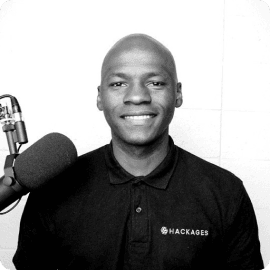
Davy Engone
Founder & Software Mentor @ Hackages
Davy helps teams ship software with confidence — including AI-assisted development and agentic systems. This program emphasizes reliability, evaluation, and shipping over slide-ware.
HOW WE RUN THE TWO DAYS
Sample structure — exact times can shift with your timezone and breaks
Providers & models, text & streaming, structured outputs — exercises with AI SDK Core
Tool calling and multi-step loops; failures, retries, and a reliability checklist
MCP, memory & prompts, workflows / subagents, middleware — toward a real feature
Build & deploy an agentic slice; testing, telemetry, evals, and Q&A
FOCUS AREAS
What we emphasize technically
Vercel AI SDK Core
generateText, streaming, structured outputs, tool calling, and provider setup — the spine of the exercises.
Tools & MCP
First-party tools plus Model Context Protocol for real integrations with clear boundaries.
Next.js & deploy
Typical stack for Day 2: App Router patterns, streaming routes, and shipping to a host like Vercel.
PRICING
Train your team today
Same rate for a seat or a private team room. Remote or on-site.
* excl VAT
What's included:
* Up to 15 participants · excl VAT
FAQ'S
if your question wasn't answered below
Chances are at this stage you have a couple questions. Here are a few questions that are often asked.
Day 1 locks in fundamentals (tools, loops, structured outputs, failure modes). Day 2 goes deep with MCP, workflows, and a concrete build-and-deploy path so the team leaves with more than a demo.